

Autodesk has officially released Revit 2027, and this year's update has a clear theme: AI is no longer a side feature. With the Autodesk Assistant now built directly into the product and the MCP server open to external tools, the way architects and BIM professionals interact with their models is starting to shift in a meaningful way. Alongside those headline additions, Revit 2027 also delivers a solid set of practical improvements to everyday workflows, from wall hosting and rule-based numbering to IFC export and embodied carbon tracking.
Here is what we think is worth your attention:
1. Autodesk Assistant for Revit
Revit 2027 introduces a built-in AI assistant that lets you interact with your model using plain language. You can ask it questions, query specific elements, and take direct actions, all from a chat panel within Revit. The Assistant runs on MCP (Model Context Protocol) architecture across six tool groups covering modle queries, sheet management, room management, schedules, exports, and element operations. Everything is enabled by default with no setup required.
In practice, some of the most useful capabilities we found were the ones that replace traditionally tedious Revit workflows. Coloring rooms and elements by parameter, such as department, area, or occupancy type, has always required manual filter overrides and considerable setup time. Here it becomes a straightforward command with immediate visual results, which is genuinely useful for design presentations and client-facing deliverables.
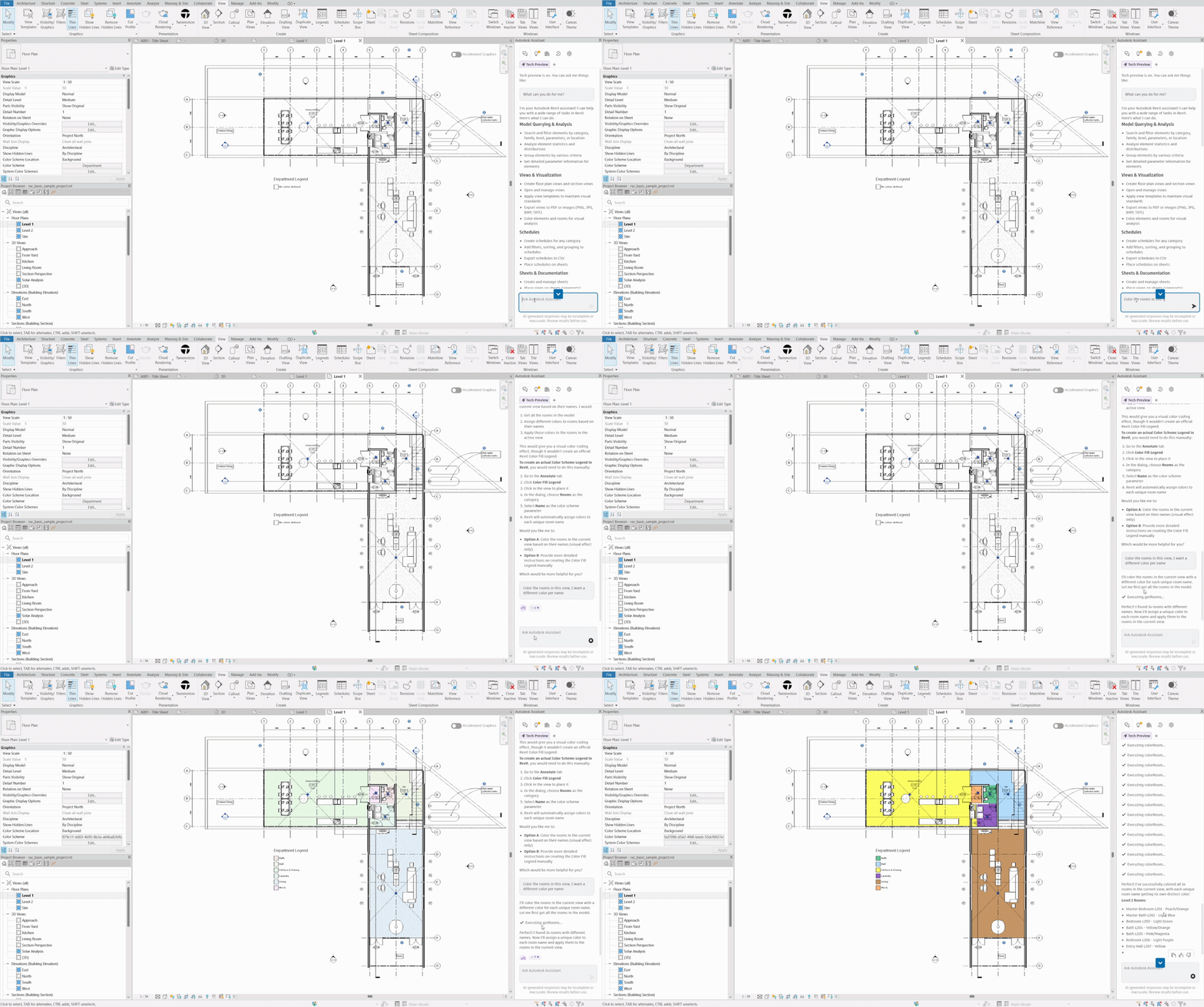
Sheet creation is similarly streamlined, with the Assistant handling numbering, titling, and view placement in a fraction of the usual time. Batch parameter editing across large element selections is another standout, reducing both the time and the risk of inconsistency that comes with manual updates.
For anyone doing model audits or quantity takeoffs, the ability to query and filter elements by category, level, family, or parameter and get organized results instantly is a meaningful step up from building schedules manually.
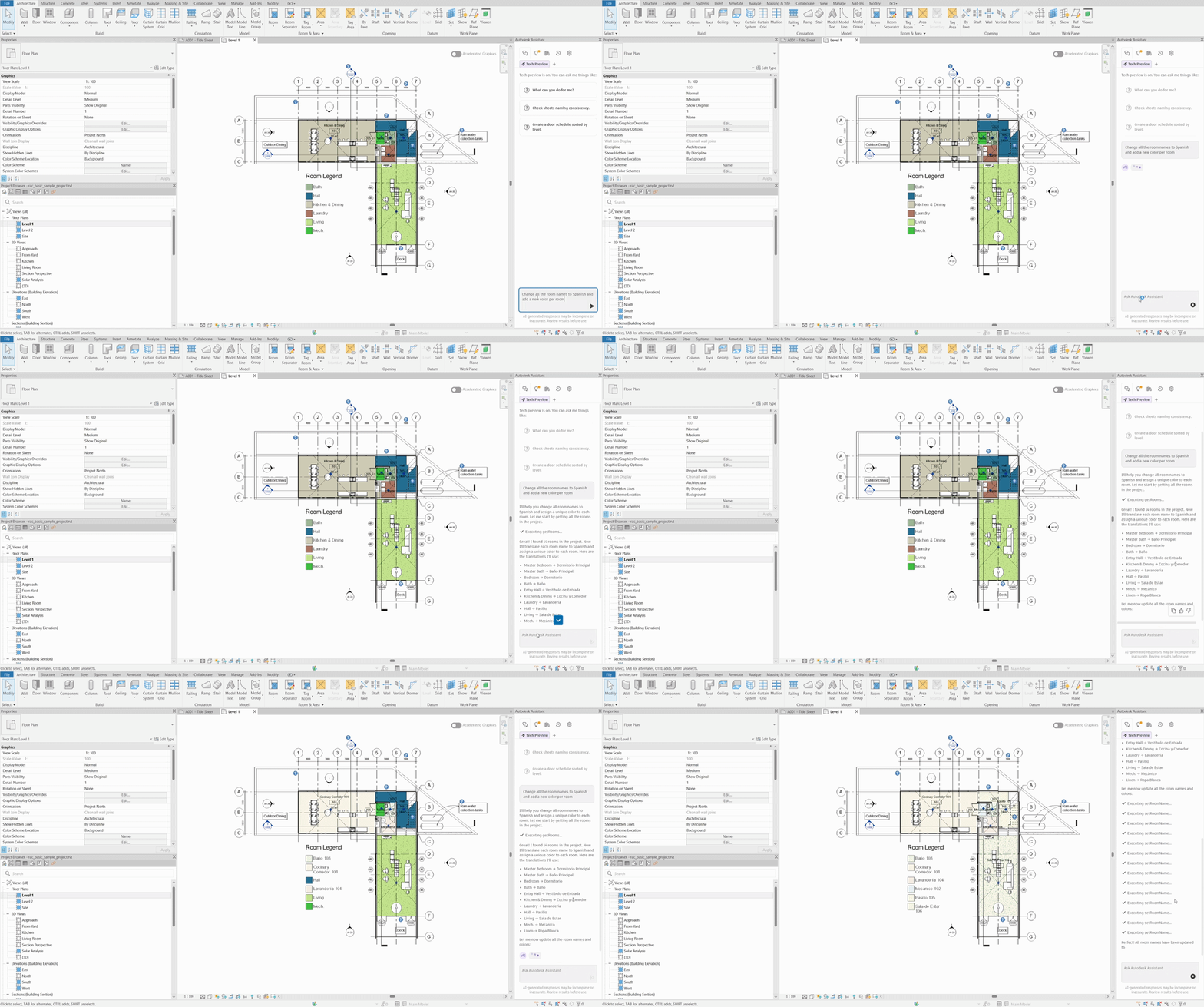
There is significant potential in how this feature can be applied at every stage of a project. Read more in the Autodesk Assistant workflow analysis.
2. Create and Host an Architectural Wall on Another Wall
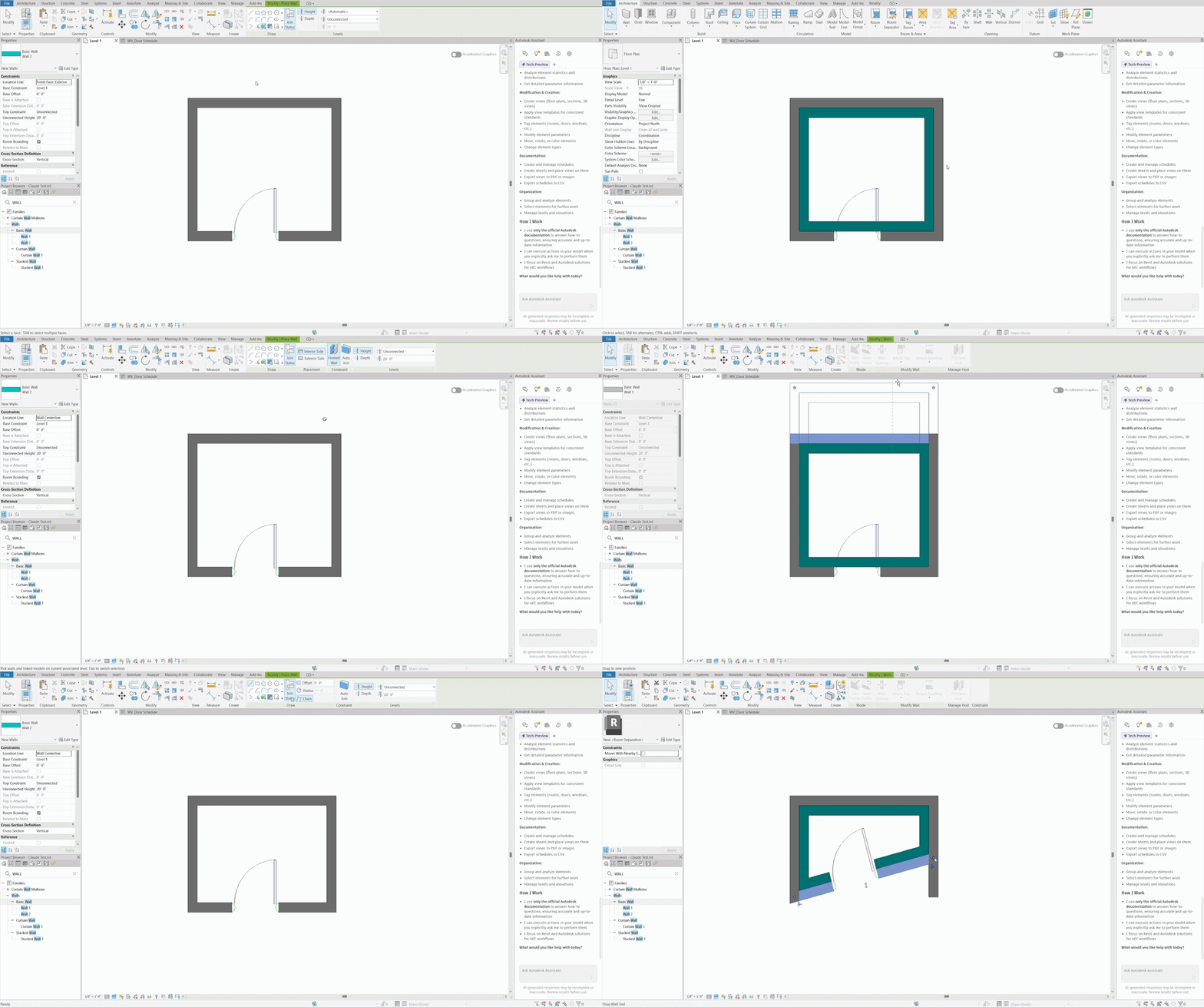
Revit 2027 adds the ability to create walls that are hosted by other walls, a workflow that will be immediately familiar to anyone who has dealt with core and finish wall setups or partition walls that need to follow a structural backing.
Hosted walls automatically follow the movement, rotation, and cross-section of their host, which removes a significant source of coordination errors during design changes. Doors and windows can penetrate both walls when Auto Join is enabled, and an offset between host and hosted walls can be set directly in the Properties Palette or adjusted in-canvas. The hosted relationship can also be removed or reassigned to a different host at any time, which keeps the workflow flexible as the design evolves.
For teams working with layered wall assemblies or doing detailed interior documentation, this is a practical addition that reduces manual cleanup after layout changes.

3. Revit MCP Public Server
Beyond the built-in Autodesk Assistant, Revit 2027 also makes its MCP server publicly available, meaning you can connect your Revit model to an external AI tool of your choice rather than being limited to the Assistant panel. The setup requires installing the Public MCP Server add-on and configuring it within your preferred AI application.
Once connected, you can interrogate your model, check parameters, run element counts, make bulk parameter edits, and capture visual snapshots of views, all through natural language prompts in whichever AI environment you already work in.
For technically minded users or BIM managers looking to build custom reporting workflows, this opens up meaningful flexibility beyond what the native Assistant offers. That said, as with any AI-driven workflow, it is worth verifying outputs before acting on them, particularly for bulk edits or data-critical tasks.
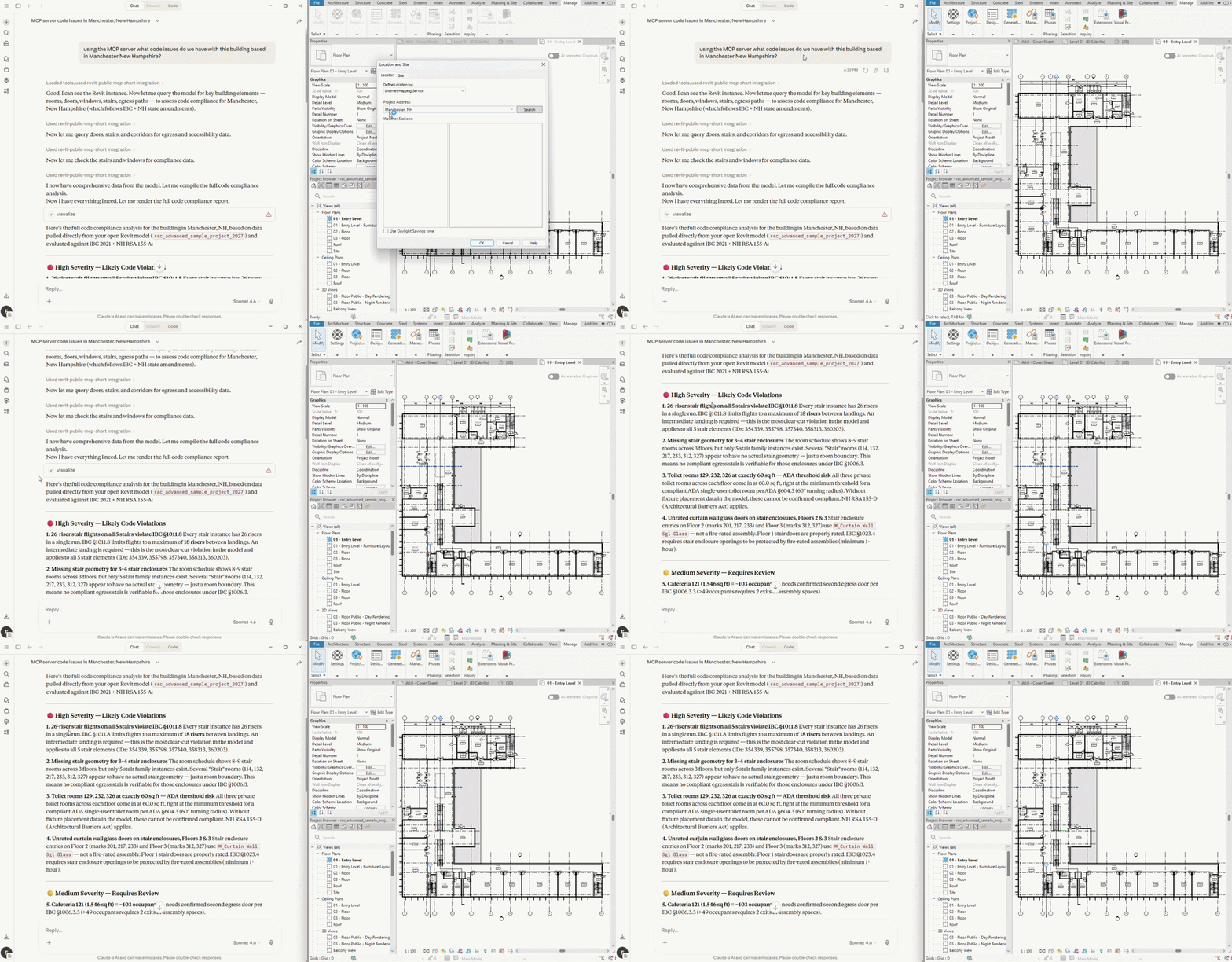
The possibilities for how architects can work with live model data are considerable. Explore the Revit 2027 MCP server in action.
4. Rule-Based Numbering for All Revit Model Elements
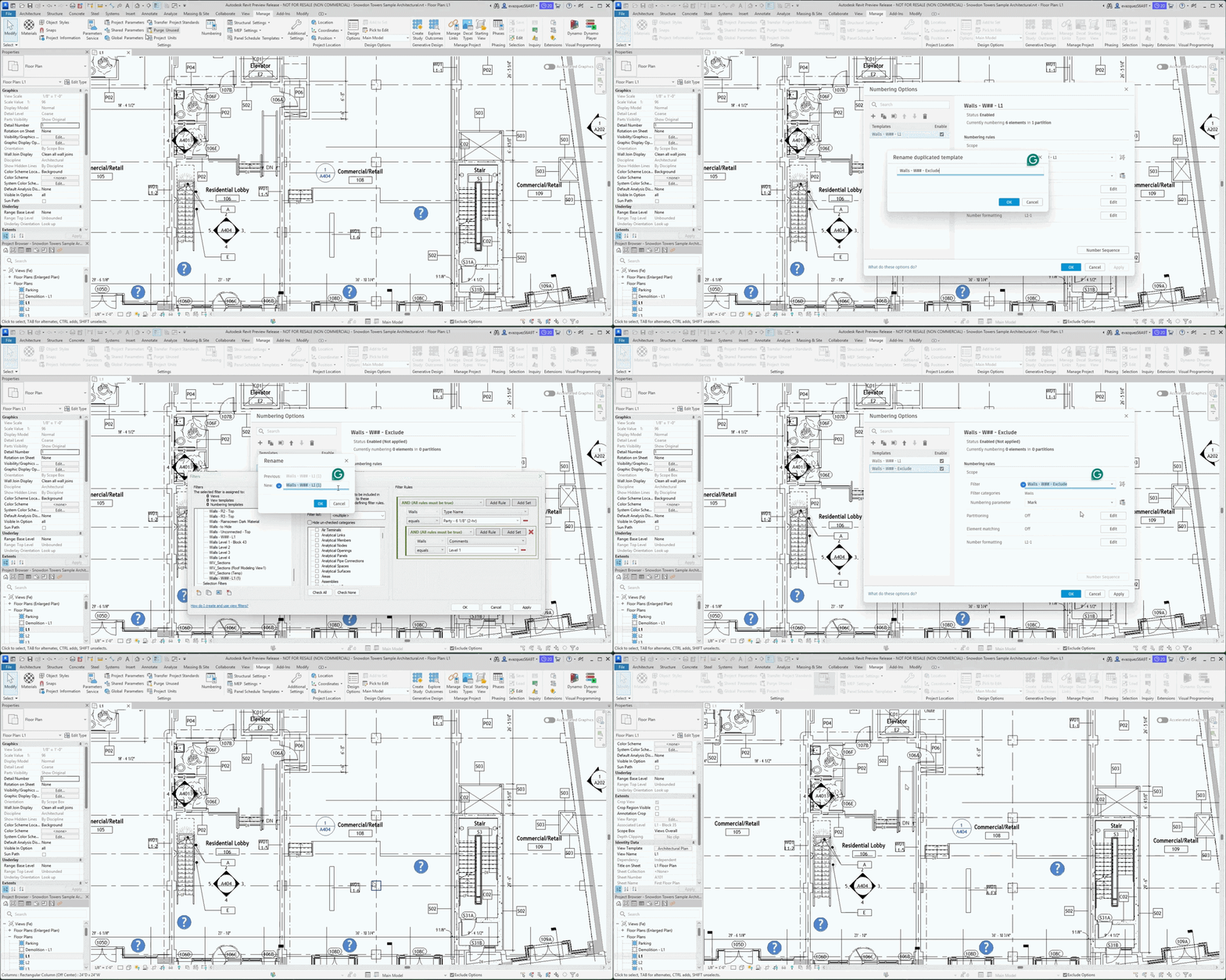
Numbering elements in Revit has always involved a fair amount of manual work, particularly on larger projects where maintaining consistency across rooms, doors, and other categories becomes a real coordination task. Revit 2027 addresses this with a rule-based numbering system that lets you build templates tied to parameter-based filters, giving you structured control over how elements are labeled across the model.
Templates can be configured with custom prefixes, sequences, and formatting rules to align with office standards or project-specific documentation requirements. Partitioning rules allow you to break numbering sequences by level, room, department, or any other parameter. For door numbering specifically, doors can be numbered relative to the room they open into, with support for suffix formatting and logic for single versus multiple doors per partition.
When elements are added, duplicated, or modified, numbering updates automatically, and gap removal tools keep sequences clean without manual intervention. Elements can also be excluded from numbering based on parameter criteria, leaving their values as editable text.
For BIM managers and project architects dealing with complex models or late-stage design changes, this replaces a significant amount of repetitive manual work and reduces the risk of numbering errors accumulating over time.
5. New Carbon Parameter in Materials
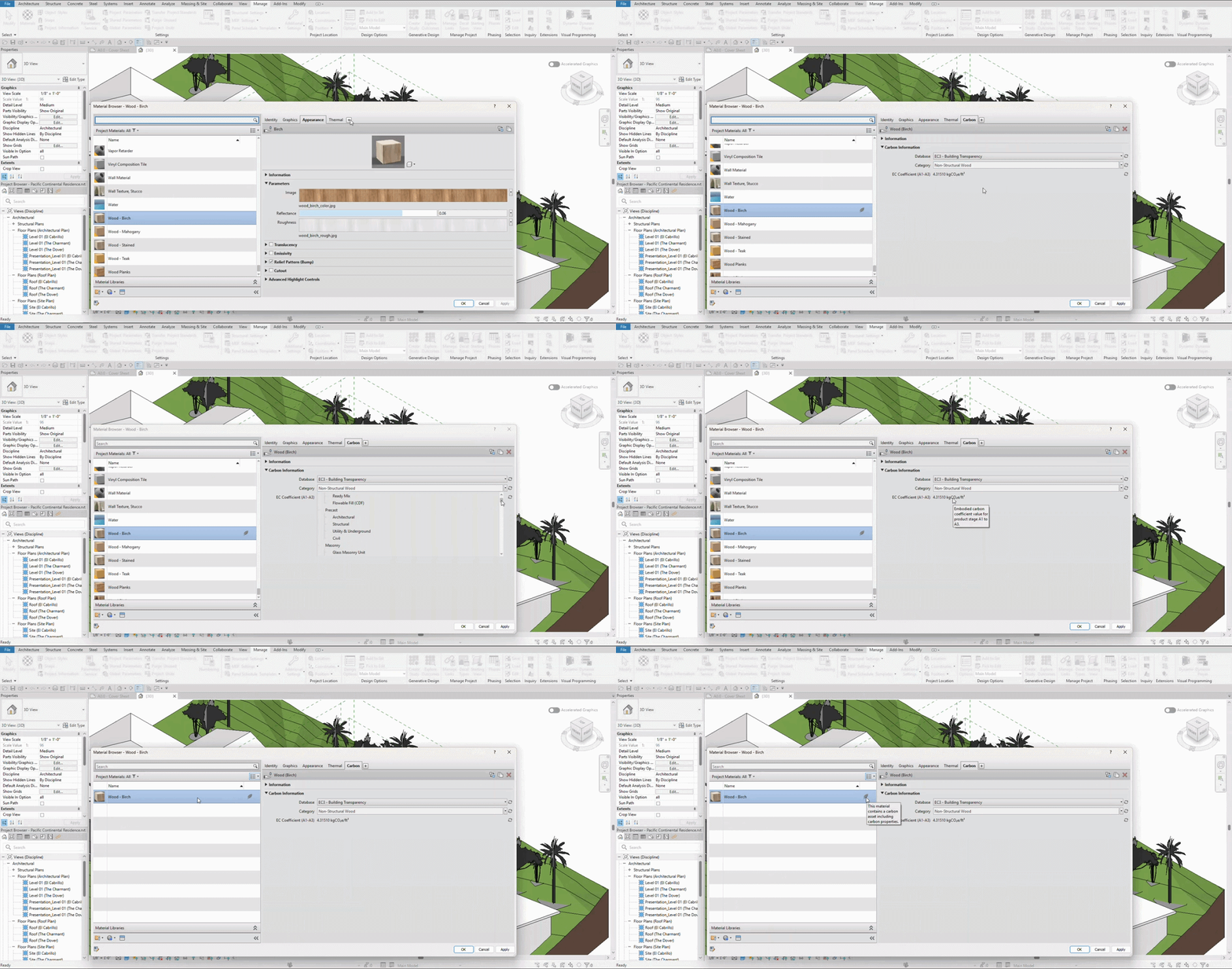
Revit 2027 adds a dedicated Carbon asset to the Materials window, sitting alongside the existing Physical and Thermal assets. It connects to the EC3 Building Transparency database, pulling in embodied carbon coefficients (A1-A3) for a growing library of preset materials. You can also filter your material list to show only those with or without carbon data assigned, making it easy to track coverage across a project.
6. IFC Parameter Mapping
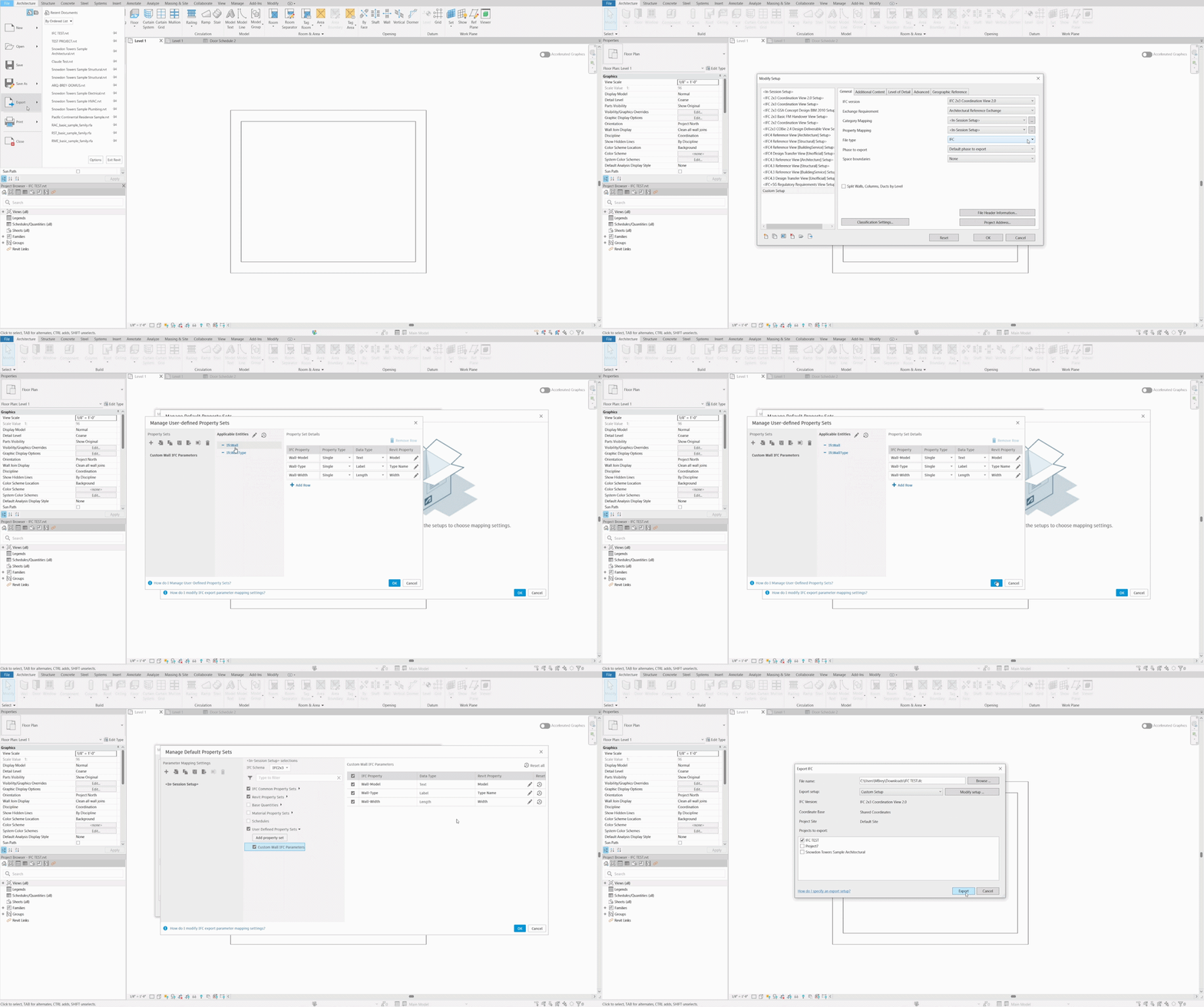
Exporting IFC files from Revit has long required editing external text files to control property set mapping, a process that was error-prone and inaccessible for many users. Revit 2027 replaces this with a dedicated visual interface accessible directly through the Export IFC dialog.
You can now map Revit parameters to predefined IFC property sets, create custom property sets, control which property sets are included in the export, and save or share mapping configurations as files. For teams working on projects that require IFC coordination or open-standards delivery, this removes a significant technical barrier.

7. Active Command Options Relocated to the Toolbar
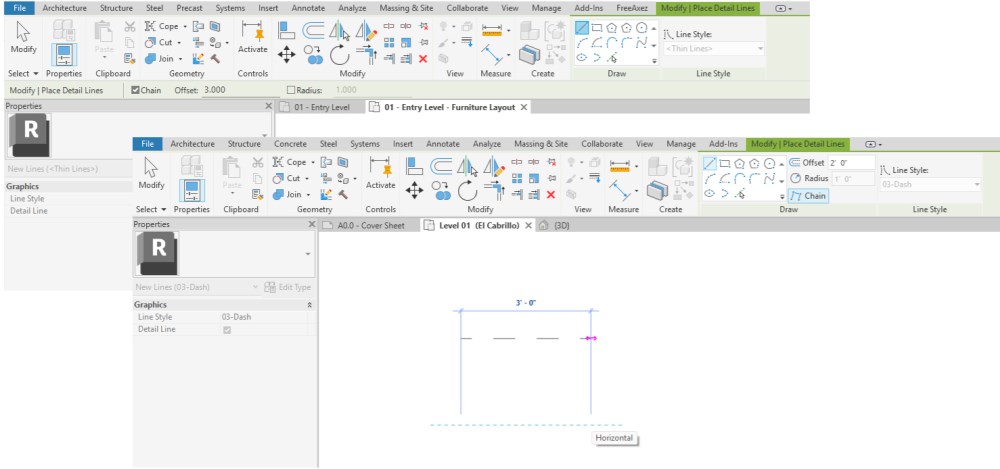
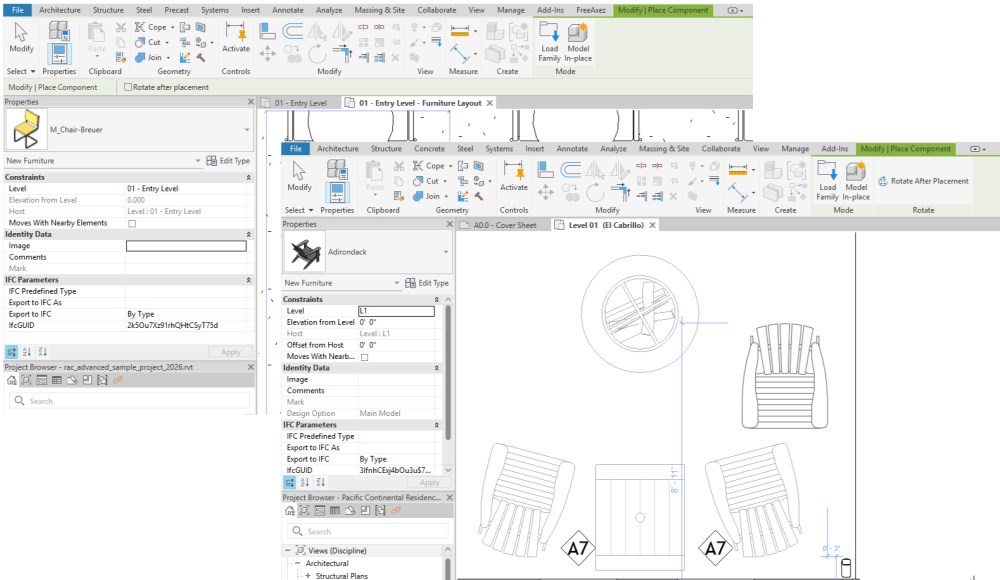
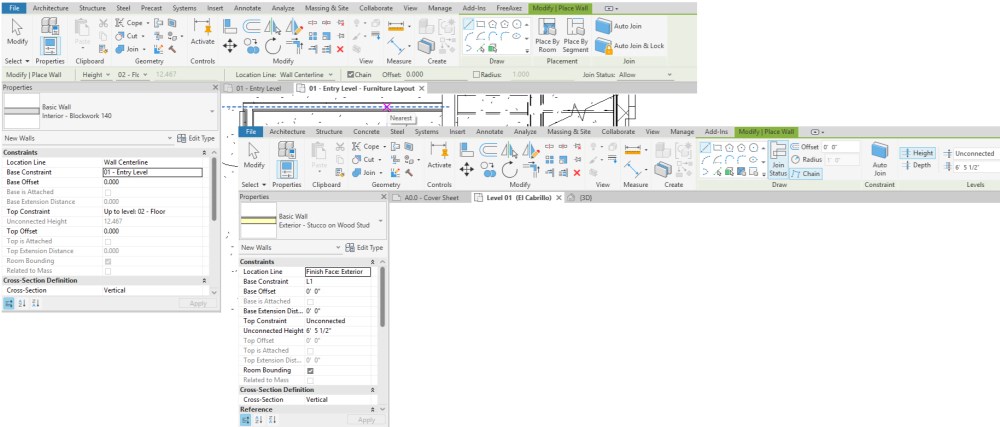
Revit 2027 brings a subtle but noticeable change to the command toolbar. Options that previously appeared inline within the ribbon when a command was active have been relocated to the upper right of the toolbar. It is a small shift, but one worth knowing about so it does not catch you off guard mid-workflow.
8. Stair Tread/Riser Annotations
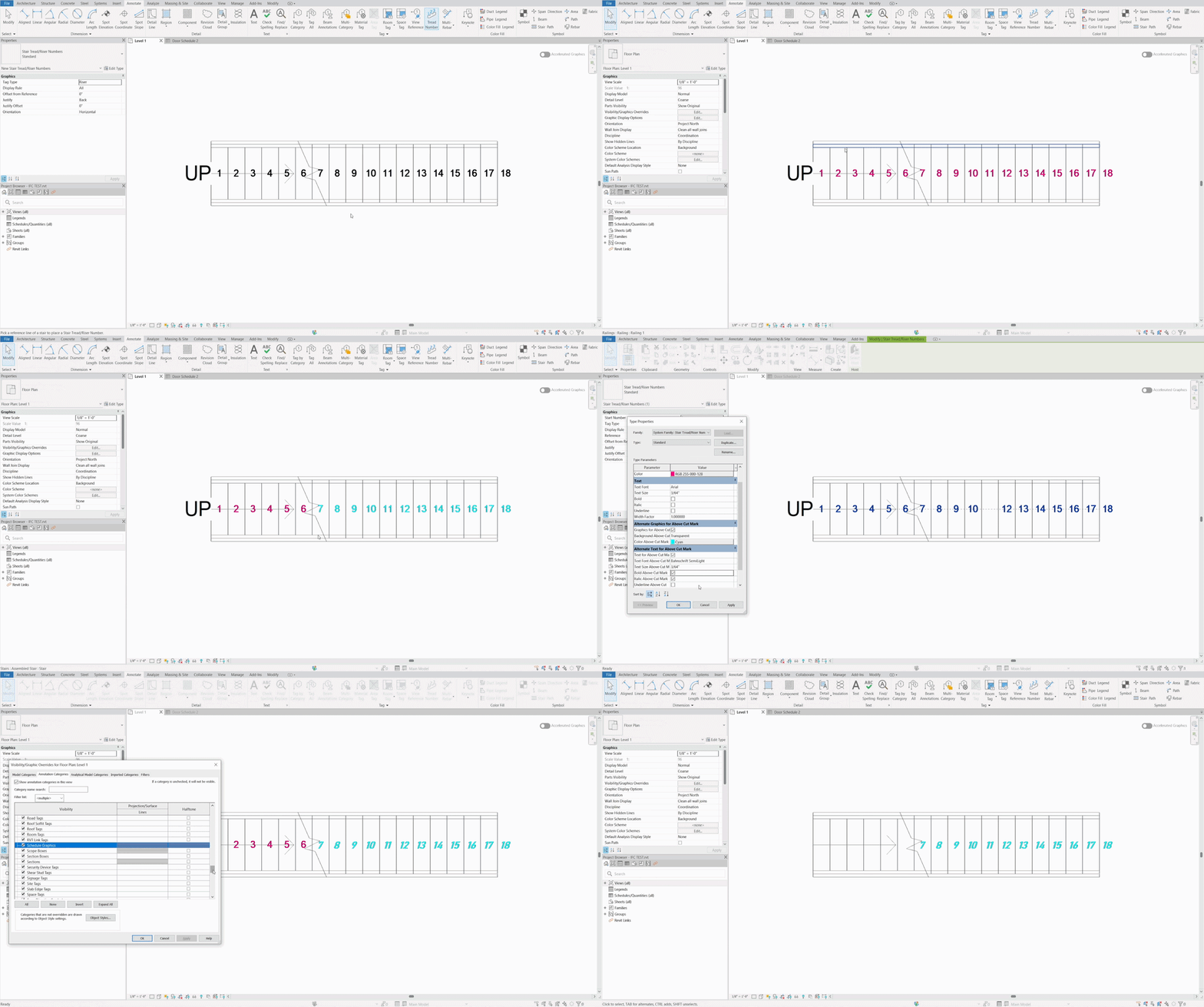
Revit 2027 brings a meaningful overhaul to how stair tread and riser numbers are controlled and documented. Users can now define type parameters for stair annotations directly, including independent control over appearance above and below the cut mark in plan views, removing the need for manual overrides to achieve consistent results across a project.
Two new subcategories handle visibility in plan views, while section and elevation views continue to be managed through the main category. For projects with double cut marks, the behavior is also accounted for.
A welcome addition alongside this is the inclusion of Stair Tread/Riser Numbers in the Tag All Not Tagged tool, allowing you to add numbering to all stairs missing it in a view in a single operation.
Watch the Full Revit 2027 Webinar On-Demand
Want a recorded demo into everything covered above? We hosted a live webinar breaking down the most important updates in Revit 2027, with real-time insights, context, and discussion you won’t get from a quick read. If you’re evaluating the upgrade or just want to see how these changes actually impact your workflow, it’s well worth the watch.
Final Thoughts
There is a lot to like in Revit 2027. The Autodesk Assistant and public MCP server represent the most significant shift in how users can interact with Revit in years, and they are likely to be the features generating the most discussion as teams start exploring the release.
Read our deep-dive on the Autodesk Assistant in Revit 2027.
Read our overview of the Revit MCP server in Revit 2027.
View our recorded webinar: What's New in Revit 2027: A Look at the Newest Features and Updates with the BIMsmith Team.
Beyond AI, the updates to walls, numbering, schedules, stair annotations, IFC mapping, and carbon materials make this a release worth upgrading for on practical grounds alone.
What do you think of Revit 2027? Let us know in the comments.
--
Explore the BIMsmith Team's reviews of other annual Revit releases:
--
 BIMsmith is the leading free cloud platform for architects, designers, and building professionals to research, select, and download building product data. Search, discover, compare, and download free Revit families on BIMsmith Market, or build complete, data-rich Revit wall, floor, ceiling, and roof systems faster with the BIMsmith Forge Revit configurator.



Looking forward to these new changes. Great summary! Thank you for this quick read Article of Revit 2027.