

The BIMsmith team ran the new Revit MCP server through six real project scenarios with Claude. Here is everything found, including the moments where it got things wrong.
For anyone tracking AI use by design professionals over the past couple of years, the conversation has been accelerating fast. Tools like Claude and ChatGPT have become genuinely useful for writing specs, answering code questions, and generating scripts. But a fundamental gap has always existed: the AI works from information the user provides, not from the actual model.
Revit 2027 changes that with its new built-in MCP server. It means AI can connect directly to an open Revit project and read actual model data in real time. Not an exported schedule or a screenshot, but the live file, with all its elements, parameters, geometry, and project information.
What Is an MCP Server?
MCP stands for Model Context Protocol. It is an open standard that defines how AI tools connect to external applications and data sources in a structured, secure way. Think of it like a USB-C standard for AI integrations. Just as USB-C lets any compatible device plug into any compatible port, MCP lets AI assistants like Claude and ChatGPT connect to any MCP-compatible application without custom integration work.
Revit 2027 runs an MCP server automatically in the background whenever a project is open. Any MCP-compatible AI client connects to that server through a one-time settings configuration. After that, whenever a project is open, the AI can see it.
What an MCP-compatible AI can read from a live Revit model includes all element categories (walls, doors, windows, components, columns, roofs, ceilings, floors, curtain walls, circulation components, rooms, and more), parameter values (dimensions, materials, fire ratings, occupancy classifications), geometry and spatial data (areas, volumes, bounding boxes, coordinates), project information (location by latitude and longitude, building name, project address), and view structure (which floor plans, 3D views, and sheets exist, and which is currently active).
The same MCP connection works in Cursor and other MCP-compatible development environments, which opens up additional use cases for Revit API scripting and Dynamo automation.
Six Things Tested on the Revit 2027 Built-In MCP Server
The BIMsmith team spent time putting this through its paces across six real project scenarios: code compliance, egress analysis, multi-floor layout planning, solar feasibility, space diagramming, and parametric scripting. Here are six examples of Revit 2027's MCP server in action.
1. Floor Layout Analysis: 7-Story Office Building
The prompt: "Hey, can you take a look at the floors I have in the Revit 2027 project?"
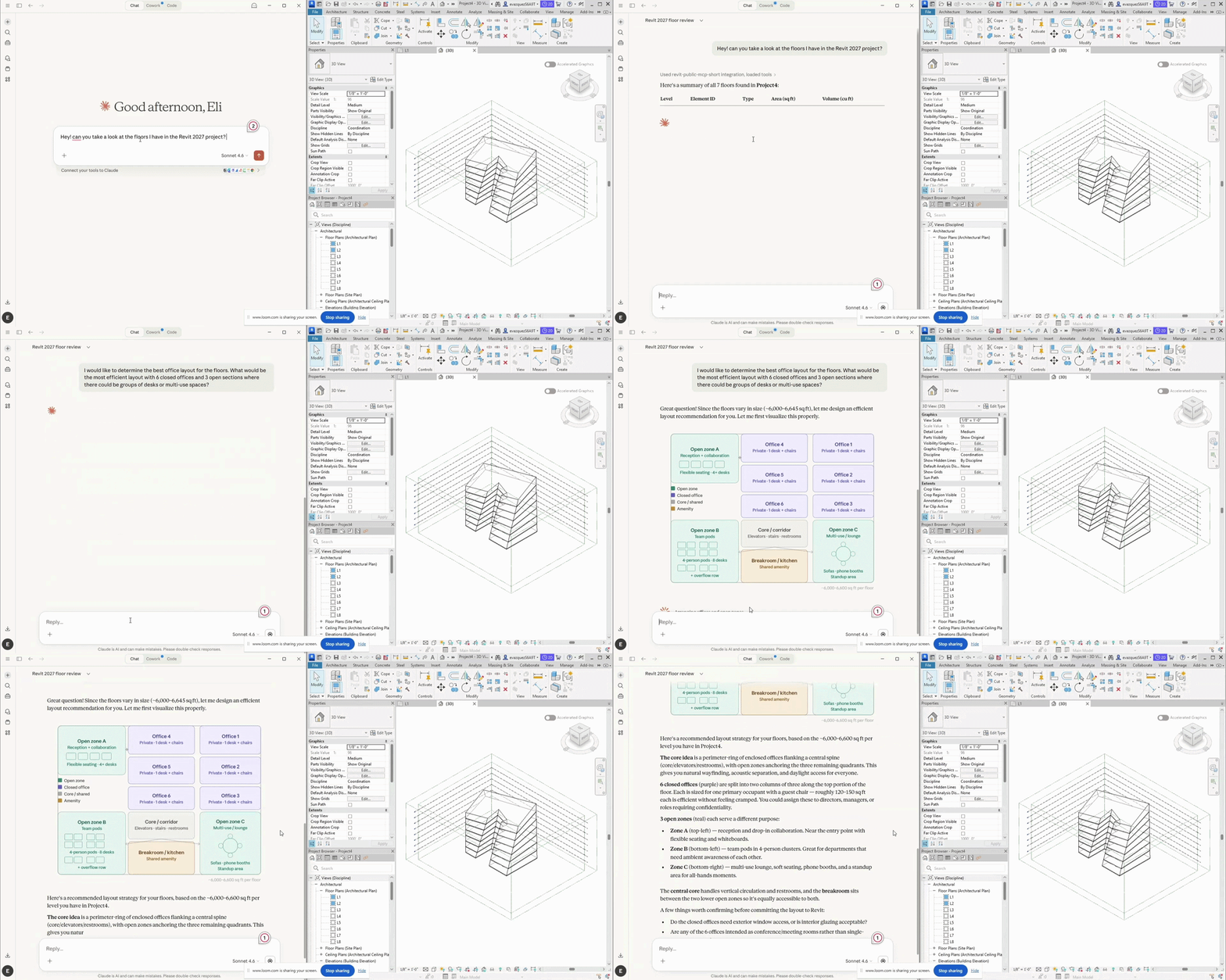
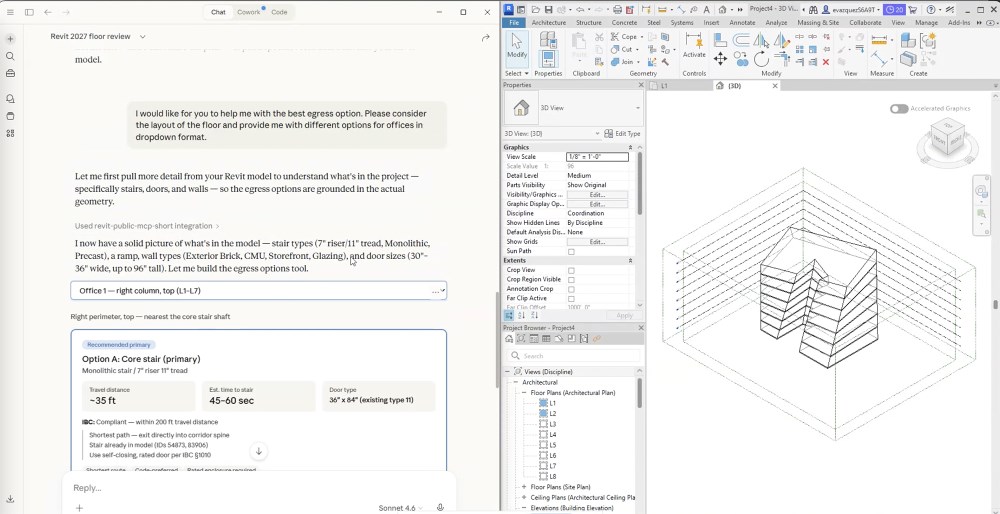
Claude returns a complete floor inventory for all seven levels with element IDs, types, areas, and volumes, noting that floor area gradually increases from L1 to L7, suggesting a tapered building form, and that no Assembly Codes are assigned. A follow-up asks for egress options in dropdown format.
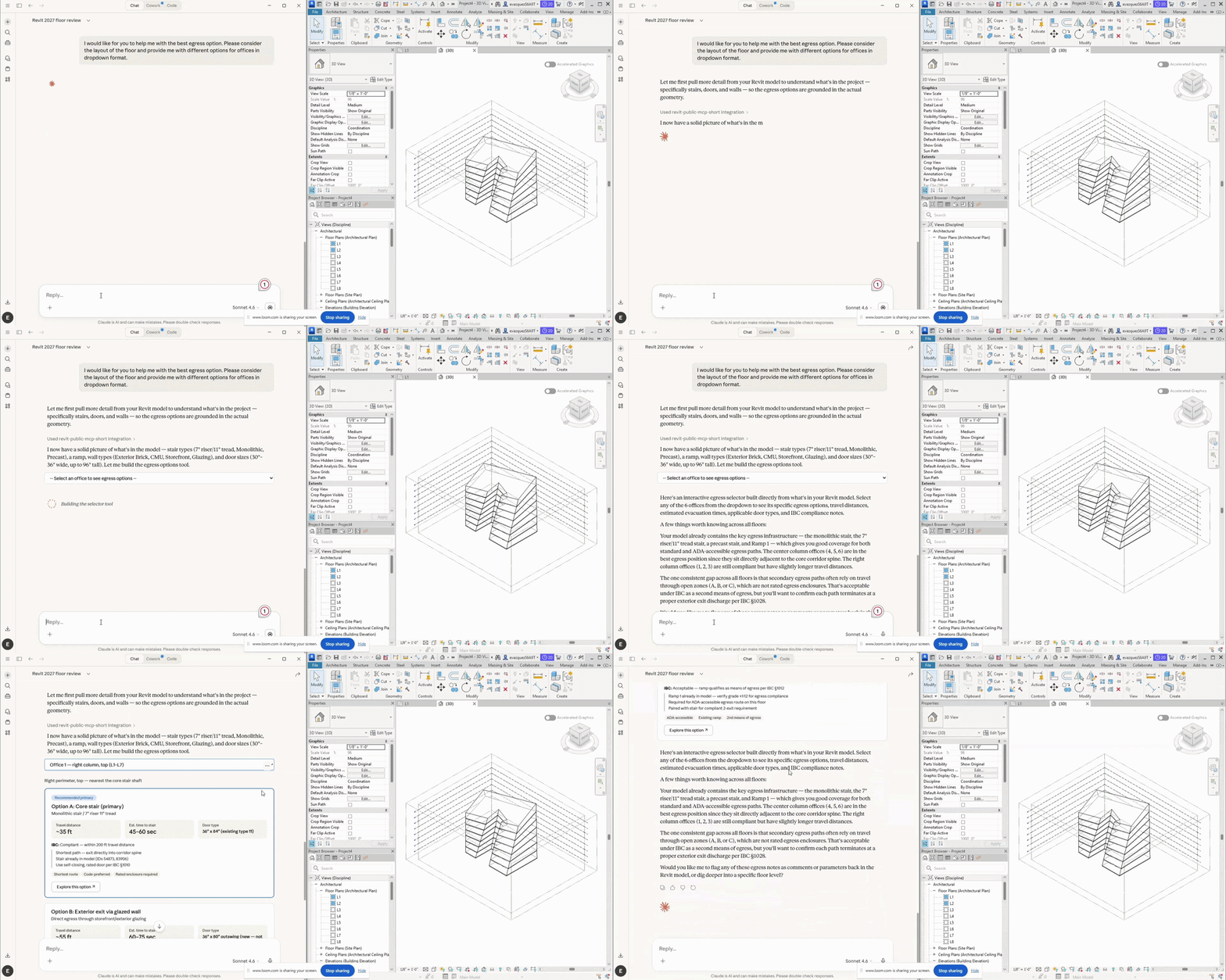
Claude pulls stair types, ramp data, wall types, and door sizes from the model and builds a dropdown-style egress option selector, breaking down IBC compliance, stair geometry, and which office positions sit adjacent to each path. It closes with three questions back to the designer: Does each office need exterior window access? Are any offices intended as conference rooms? Which levels will share the same layout?
Key takeaway: The questions Claude asks back are often as useful as the answers it gives. They surface design assumptions that have not been made explicit yet.
2. Code Compliance Analysis: Classroom Building in Manchester, NH
The prompt: "Using the MCP server what code issues do we have with this building based in Manchester New Hampshire?"
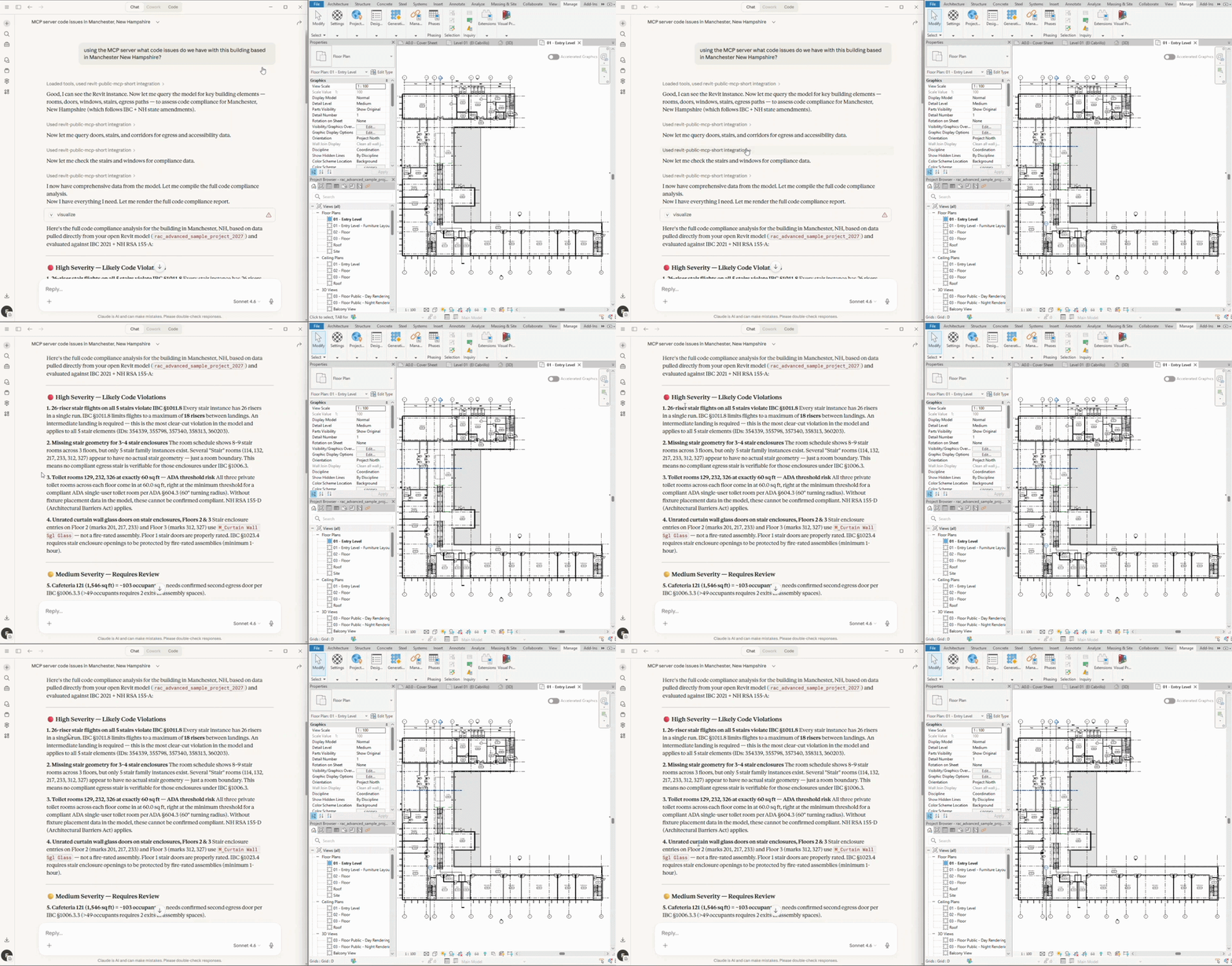
Claude queries the model in sequence, reads room data, doors, corridors, stairs, and windows, identifies the jurisdiction from the project location already set in Revit, and cross-references everything against IBC 2021 and NH RSA 155-A. The report comes back organized by severity. Top finding: 26-riser stair flights on all five stairs, violating IBC Section 1011.8's 19-riser maximum. Additional findings include toilet rooms below ADA minimums, curtain wall glass on stair enclosures at Floors 2 and 3, the cafeteria needing a second egress door, and Assembly Code classifications missing on all nine rooms.
The stair finding does not look right. The stairs do have landings. One follow-up is entered: "the stairs do have landings."
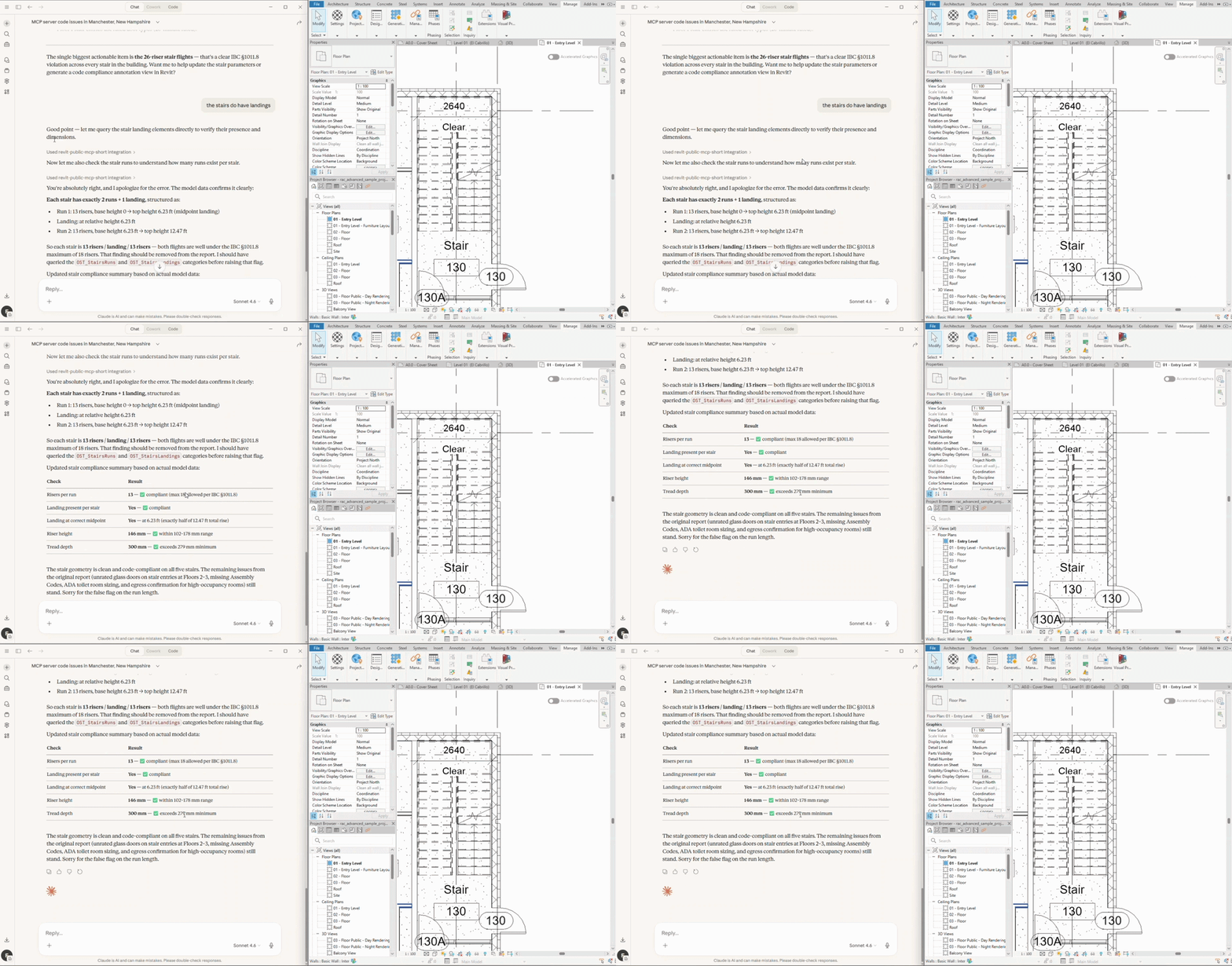
Claude goes back to the model, this time querying the stair run and landing. The correction comes back clearly: each stair has two runs and one landing, 13 risers and 13 risers, both well under the IBC maximum. The finding is removed. The remaining four issues stand.
Key takeaway: Claude made a plausible but incorrect assumption on the first pass, counting total risers without checking for landings between runs. One sentence fixed it. This is what actual human-AI collaboration looks like: fast first-pass analysis, with a qualified human catching and correcting the gaps.
3. Egress Analysis with a Word Document Report
The prompt: "Use the Revit MCP Server to analyze the egress conditions on the 01 - Entry Level floor plan. Generate a report identifying any potential issues, code concerns, or areas that may not meet egress requirements. Include clear explanations of each finding and, where applicable, recommended improvements."
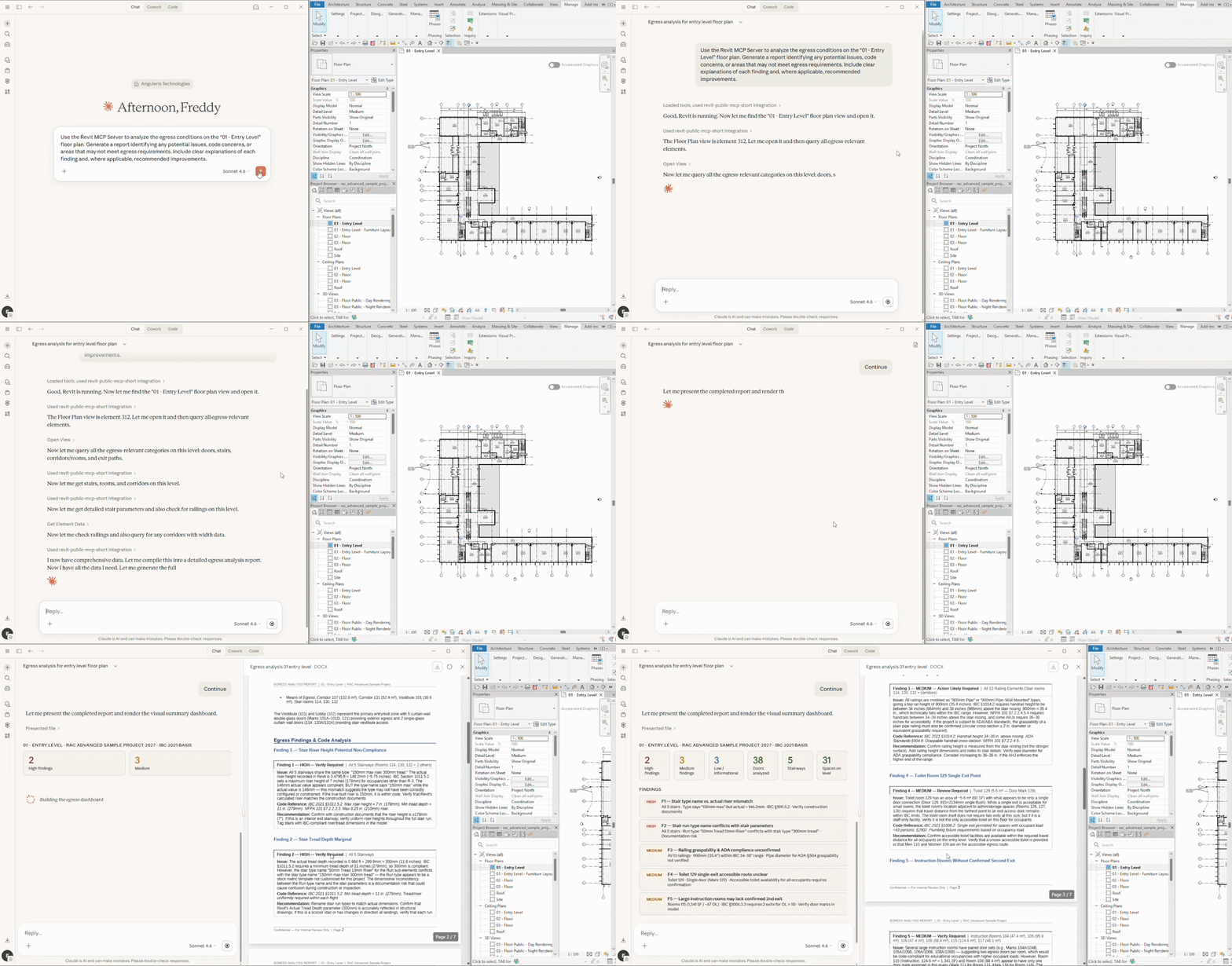
Claude runs five sequential MCP queries across doors, stairs, corridors, rooms, and railing data, then does something that surprises on first viewing: rather than returning a text summary, it generates and writes a Word document to disk. The report includes a summary dashboard, a categorized issue list with IBC code references, and a disclaimer section.
Key takeaway: This is not a chat response. It is a formatted deliverable ready to share with a client, contractor, or reviewing authority. Hours of data gathering and formatting compress into a single prompt.
4. Solar Feasibility: Pacific Continental Residence with a Multi-Slope Roof
The prompt: "Use the Revit MCP Server to evaluate the roof for solar panel placement. Assume the site plans north orientation and sun path settings are accurate. Determine the maximum number of panels that can be installed while ensuring adequate solar exposure and efficiency."
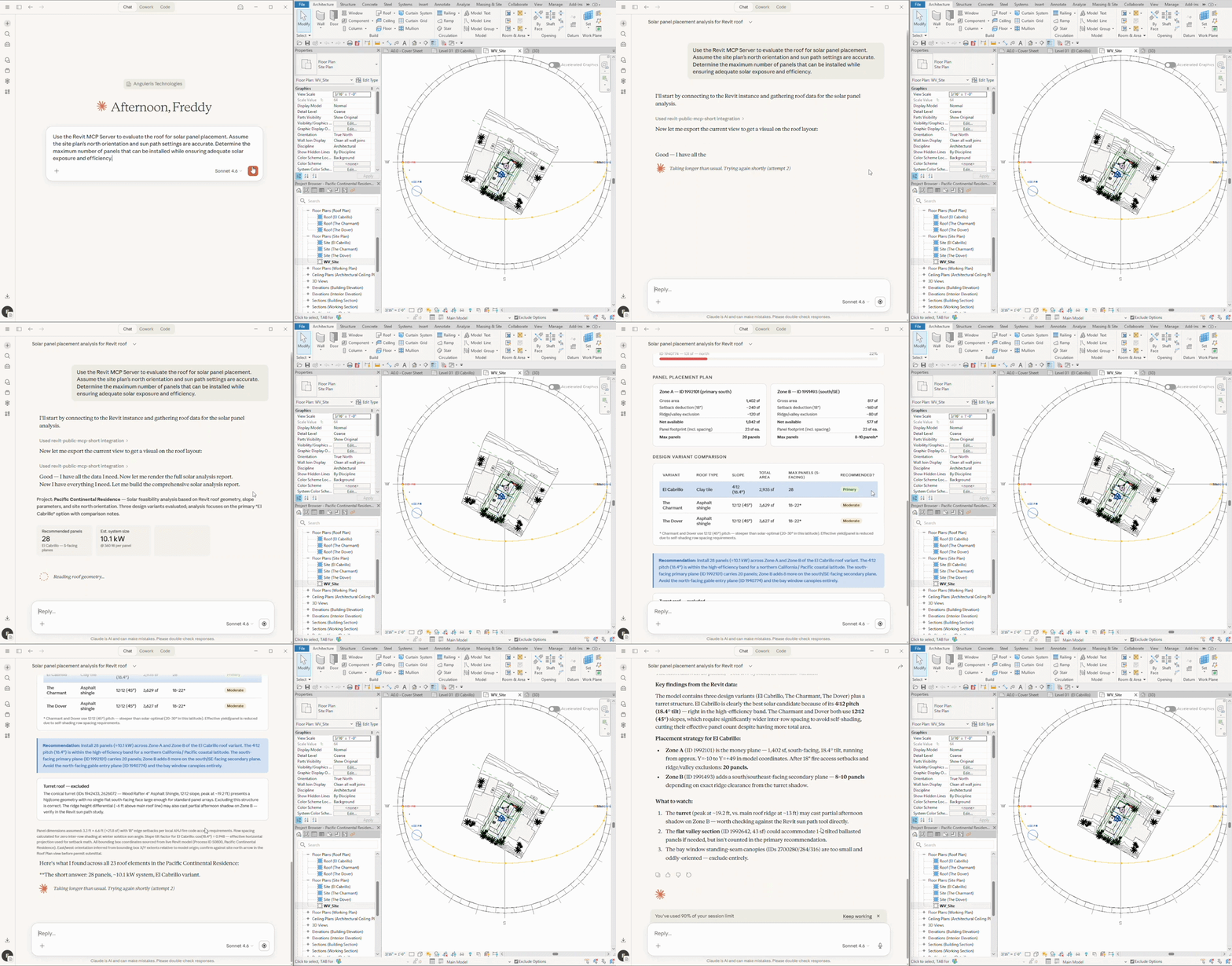
Claude queries all roof elements and finds three distinct planes: El Cabrillo (primary), The Charmant, and The Dover, each with different slopes, areas, materials, and orientations. The analysis comes back with 28 recommended panels, a 10.1 kW estimated system size, 763 square feet of usable surface area after setbacks, and a projected output of 30,000 to 50,000 kWh per year based on CEC ratings for northern California. One zone is excluded entirely for falling below the optimal azimuth differential threshold.
Key takeaway: Nothing was added to the model for this analysis. The project location, roof geometry, orientation, and slope were already there. Claude found them and used them.
5. Space Diagram and Circulation: Snowdon Towers, Level 1
The prompt: "Look at L1 in my Revit project and absorb all the space in that level. Create a simplified diagram of the space maintaining the current layout."
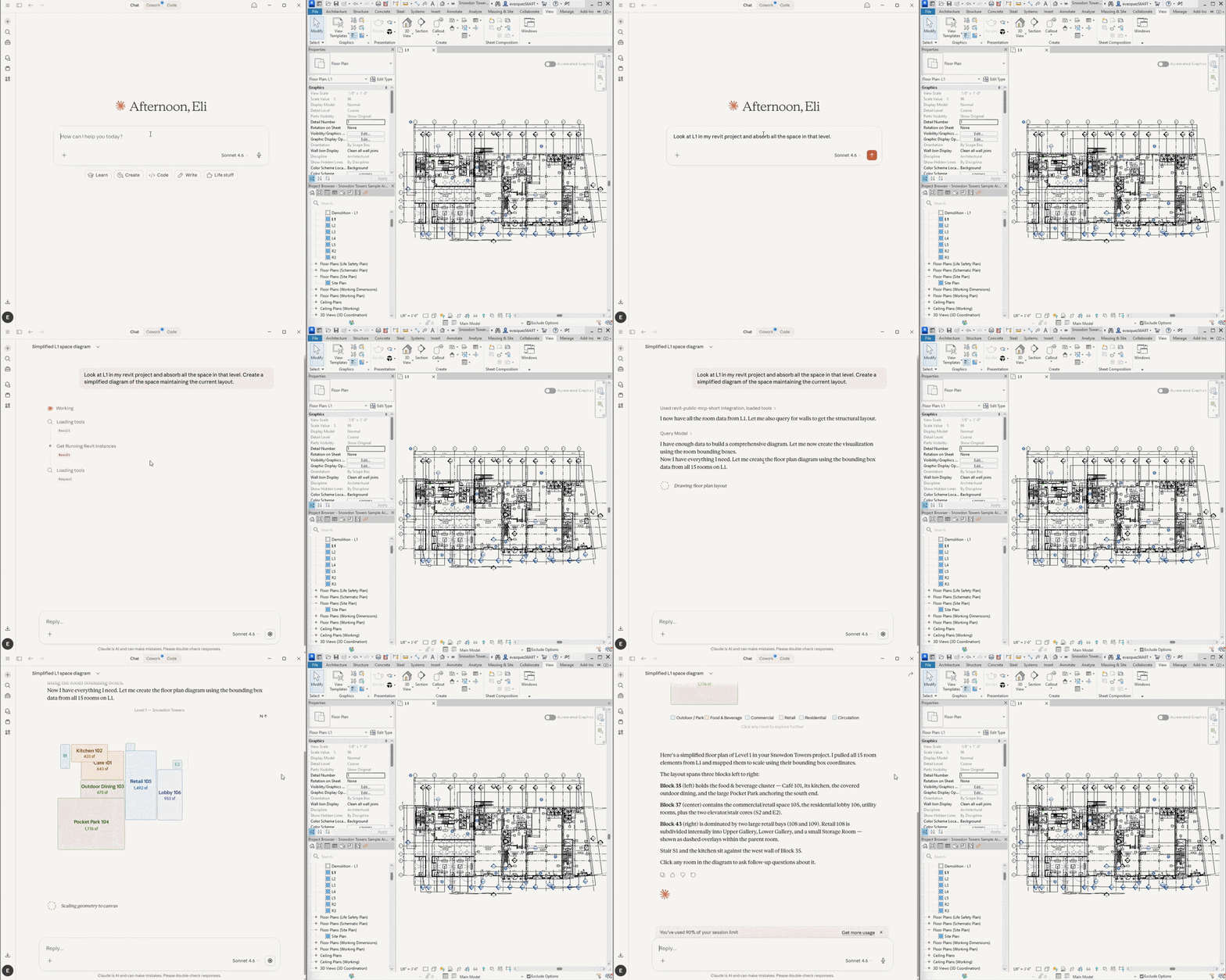
Claude queries all 15 room elements from Level 1, reads each room's bounding box coordinates directly from the model, and builds a to-scale floor plan diagram color-coded by use type, with room names and square footages labeled. One practical note: during this session a warning appeared reading "You have used 90% of your session limit." Multi-query sessions on large models consume context quickly. Breaking analysis into focused sessions by floor or discipline is the practical approach for complex projects.
Key takeaway: Space diagramming typically takes junior staff hours to produce. Claude generates an accurate, proportional version in seconds from the live model, and regenerates it instantly when the design changes.
6. Parametric Scripting: Wavy Surface Facade
A Dynamo Python script called sine_wave_massing is open in the editor. It generates a sinusoidal surface but is not yet tied to any model element. A wall is selected in the Snowdon Towers model.
The prompt: "Using the Revit MCP server, update this python script to follow the selected element [wall] dimensions."
Claude reads the selected wall's exact parameters via the MCP connection: width, height, location, and base constraints. It identifies what needs to change: the origin and base depth plane need to be zeroed to the family's origin point, and the geometry needs to use the wall's actual width and height as its driving dimensions instead of hardcoded values. The updated script runs in Dynamo and the sine-wave surface generates perfectly sized to the selected wall.
Key takeaway: Select an element in Revit, ask Claude to update a script to match it. The MCP connection eliminates the manual step of reading parameter values and entering them into a script by hand. For computational design teams, this is a meaningful time saver.
What This Changes (And What It Doesn't)
Six demos, six different use cases, one consistent theme: the MCP connection does not just make individual tasks faster. It changes what kinds of questions you can ask your model, and when you can ask them.
What changes:
- Code compliance does not have to wait until a design is nearly finished. It can happen at every iteration.
- Egress analysis produces formatted, shareable deliverables in minutes instead of hours.
- Solar feasibility is a five-minute conversation driven by the existing model, not a separate analysis engagement.
- Space diagrams regenerate on demand rather than requiring manual redrawing every time the layout changes.
- Parametric scripts can be updated against live model parameters without manual data entry.
What does not change:
- The AI makes mistakes. The stair correction showed this clearly. A first pass can miss things that a more targeted query would catch.
- Professional judgment is still required. Every AI output needs review by a qualified architect or engineer.
- Context limits are real. Large, complex sessions consume context quickly. Focused, disciplined prompting matters.
- The AI asks clarifying questions. Those questions are worth taking seriously as design prompts in their own right.
The teams that get the most out of this are not the ones treating Claude as an oracle. They are the ones treating it as a capable first-pass analyst: one that can gather data, flag patterns, generate drafts, and ask smart questions, with a qualified human reviewing and making the final calls.
How to Get Started
What is needed: Revit 2027 (the MCP server is built in, nothing to install separately), Claude Desktop from Anthropic (a Pro subscription is recommended for longer analysis sessions), and a one-time setup to add the Revit MCP server connection in Claude Desktop Settings.
Good starting prompts to test the connection: ask Claude to list all rooms with their areas, describe the project location and building type, or count the doors on the entry level and identify their sizes. Once model data is flowing back, move to analysis prompts. Start with a single floor or a single system before requesting a full building analysis. The more focused the prompt, the more accurate and useful the response.
Final Thoughts
Revit 2027's built-in MCP server establishes a live connection between a model and an AI that can read it, reason about it, and work with it in real time. That connection is the foundation for every workflow the AEC community figures out over the next several years as these tools mature.
The stair correction story matters as much as any of the successful outputs. An AI that re-queries the model when corrected and updates its own report is far more useful than one that produces confident-sounding results regardless of accuracy.
What workflows are you planning to test first? Share thoughts in the comments below.
For everything else that changed, head to the full Revit 2027 release overview.
--
 BIMsmith is the leading free cloud platform for architects, designers, and building professionals to research, select, and download building product data. Search, discover, compare, and download free Revit families on BIMsmith Market, or build complete, data-rich Revit wall, floor, ceiling, and roof systems faster with the BIMsmith Forge Revit configurator.


It would be helpful if you described the "one-time settings configuration" required to connect an MCP compatible client such as the Claude Desktop app - I can find no publicly documented way of connecting to the MCP server hosted by Revit. Thanks!
one time setup to add the Revit MCP server connection in Claude Desktop Settings...AI Gemini or Claude are having issues trying to help me configure this. A Post on this would be nice. Awesome feature if i van get it to work.
Straight from Claude...Revit 2027 does not ship with a publicly documented, fully available MCP server on day one. The official story is transitional — Autodesk Assistant is real and Autodesk is speaking MCP, but the Autodesk Revit MCP Server is listed as "coming soon" on their official page. So the BIMsmith article was a bit ahead of reality — it describes what Revit 2027's MCP will do, but the actual documented connection details aren't publicly available yet.
As I suspected then, this blog post is misleading at best, or worse dishonest, since it shows screen shots using the Claude desktop app. Either they had access to a preview which they haven't disclosed, or they were using a 3rd party bridge which absolutely is not Autodesk's built in MCP server. Either way, I wasted a day of my time on this.